
Smart IPTV Service: What It Is, How It Works & What to Check
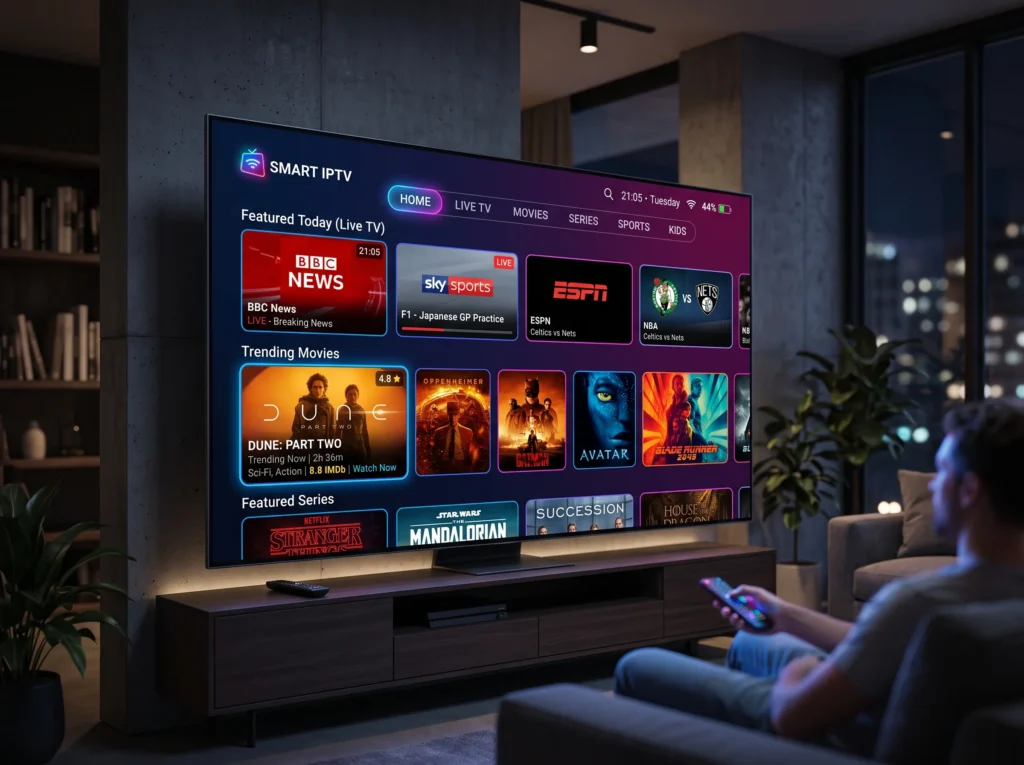
Smart IPTV service is a broad term used for IPTV streaming that works through compatible Smart TVs, streaming devices, phones, tablets, computers and other supported platforms. The exact features depend on the IPTV application and the service you use, so it is useful to understand the difference between the app, the device and the subscription itself.
nn
In this guide, we explain what a smart IPTV service means, how it works, which devices can be involved, what features to check, and how to choose an option that fits your viewing setup.
nn
What Is a Smart IPTV Service?
n
A smart IPTV service delivers television and other video content over an internet connection rather than through a traditional cable or satellite television connection. The content is normally accessed through an IPTV application or compatible player on a supported device.
nn
The word “smart” usually refers to the connected device or application experience. A Smart TV can run compatible apps directly, while devices such as Fire TV, Android TV boxes, smartphones and tablets can provide another way to access IPTV.
nn
How Does Smart IPTV Work?
n
The basic setup has three parts: an IPTV service, a compatible application or player, and an internet-connected device. The application provides the interface, while the IPTV service provides the channels or other content included with your subscription.
nn
-
- n
- Choose a service: Review the channels, features, plan options and supported devices.
n
-
- Check compatibility: Confirm that your Smart TV or streaming device supports the application or player you intend to use.
n
-
- Install the app: Use the appropriate application for your device.
n
-
- Enter your service details: Follow the provider’s setup instructions.
n
-
- Start streaming: Once configured, browse the available live channels and other supported content.
n
nn
The exact setup process varies by application, device and service, so the instructions supplied for your platform should always be followed.
nn
Smart IPTV Service vs IPTV App: What’s the Difference?
n
These terms are often confused. An IPTV app is the software you use to access and organise streams. An IPTV service is the subscription or content service that provides access to the channels or video content.
nn
For example, you may have a Smart TV with an IPTV application installed, while your subscription comes from a separate IPTV provider. The app and the service therefore perform different roles.
nn
Which Devices Can Support Smart IPTV?
n
Compatibility depends on the specific application and service, but IPTV can be used across many connected platforms.
nn
-
- n
- Smart TVs: Many modern Smart TVs support IPTV applications through their app stores or compatible software.
n
-
- Fire TV and Fire Stick: Supported IPTV applications can be installed on compatible Amazon streaming devices.
n
-
- Android devices: Android TV, TV boxes, phones and tablets can support compatible IPTV applications.
n
-
- iPhone and iPad: Some IPTV applications are available for iOS and iPadOS.
n
-
- Computers: Compatible players can provide IPTV access on desktop or laptop systems.
n
nn
Before choosing a plan, check the exact device and operating-system requirements. Compatibility can change between applications and software versions.
nn
Features to Look for in a Smart IPTV Service
n
A good comparison should focus on useful features rather than only the number of channels advertised. Consider the following points:
nn
Channel selection
n
Check whether the channels you actually watch are included and whether they are organised in a way that makes them easy to find.
nn
Electronic Programme Guide
n
An EPG can make live TV easier to navigate by showing programme information and schedules. Some platforms may also use the guide for supported catch-up features.
nn
Catch-up TV
n
If you often miss scheduled programmes, check whether the service supports catch-up for the channels you use. Our guide to IPTV with catch-up TV explains how this feature works and what to check.
nn
Video on demand
n
Some services include movies and series alongside live television. If VOD matters to you, check how the library is organised and which devices can access it.
nn
Device support
n
Confirm compatibility before subscribing. A service that works well on one platform may have a different setup or feature set on another.
nn
Customer support
n
Clear setup instructions and responsive support can be useful when installing an IPTV application or troubleshooting playback.
nn
How to Choose the Right Smart IPTV Setup
n
Start with the device you already own. If you have a Samsung or LG Smart TV, check which compatible applications are available for that television. If you prefer a streaming stick or Android device, check the supported apps and operating-system requirements before making a decision.
nn
Then compare the service itself: channel coverage, streaming features, device compatibility, support and plan options. This approach helps you avoid choosing a subscription based only on a large headline channel count.
nn
Smart IPTV for Smart TVs
n
Smart TVs can be convenient because they may allow you to use a compatible IPTV application without adding another streaming device. However, the experience depends on the television’s operating system, available applications and the IPTV service you choose.
nn
If you use Samsung TV, our Samsung TV IPTV setup guide can help you understand the basic installation process. You can also explore our Smart TV IPTV guide for related information.
nn
Smart IPTV and Streaming Quality
n
Streaming quality depends on several factors, including the source stream, device, application and internet connection. A stable connection is important for smooth playback, especially when watching higher-resolution content.
nn
If playback becomes unstable, check your internet connection, restart the application, make sure your device software is current, and confirm that the issue is not limited to one channel or programme.
nn
Is a Smart IPTV Service the Same as Traditional TV?
n
No. IPTV uses an internet connection to deliver video content, while traditional television services may use cable, satellite or terrestrial broadcast infrastructure. IPTV can offer features such as app-based navigation, programme guides and supported catch-up or VOD functions, depending on the service.
nn
Smart IPTV Service Checklist
n
nnnnnnnnnnn
| What to check | Why it matters |
|---|---|
| Device compatibility | Confirms the service can be used on your TV or streaming device. |
| Channel coverage | Helps you confirm that the channels you watch are available. |
| EPG | Makes channel schedules easier to browse. |
| Catch-up support | Useful when you want to watch eligible recent programmes. |
| VOD | Important if you want movies or series alongside live TV. |
| Support | Helps with setup and troubleshooting. |
| Plan options | Lets you choose a subscription period that fits your needs. |
nn
Frequently Asked Questions About Smart IPTV Service
nn
What is a smart IPTV service?
n
A smart IPTV service provides television or video content over the internet through a compatible IPTV application or player and supported device.
nn
Do I need a Smart TV to use IPTV?
n
No. IPTV can also work on supported streaming devices, Android devices, iOS devices and computers, depending on the application and service.
nn
Is an IPTV app the same as an IPTV service?
n
No. The app is the software used to access and organise the content, while the IPTV service provides the channels or video content included with your subscription.
nn
Can Smart IPTV support catch-up TV?
n
It can, when the service, channel and application support catch-up. Availability and replay periods can vary, so check the specific service before subscribing.
nn
Can I use IPTV on Samsung TV?
n
Compatible IPTV applications can be used on supported Samsung Smart TVs. The exact installation method depends on the TV model, operating system and application.
nn
What should I check before choosing a smart IPTV service?
n
Check device compatibility, channel coverage, EPG, catch-up or VOD features, streaming requirements, support and the available subscription plans.
nn
Final Thoughts
n
A smart IPTV service can be a flexible way to access internet-based television on compatible devices. The best starting point is not simply the largest list of channels; it is finding a setup that works with your device and provides the features you actually use.
nn
For the next step, explore our IPTV Services page, browse the IPTV Channel List, or read our guide to catch-up TV with IPTV.
contact here